
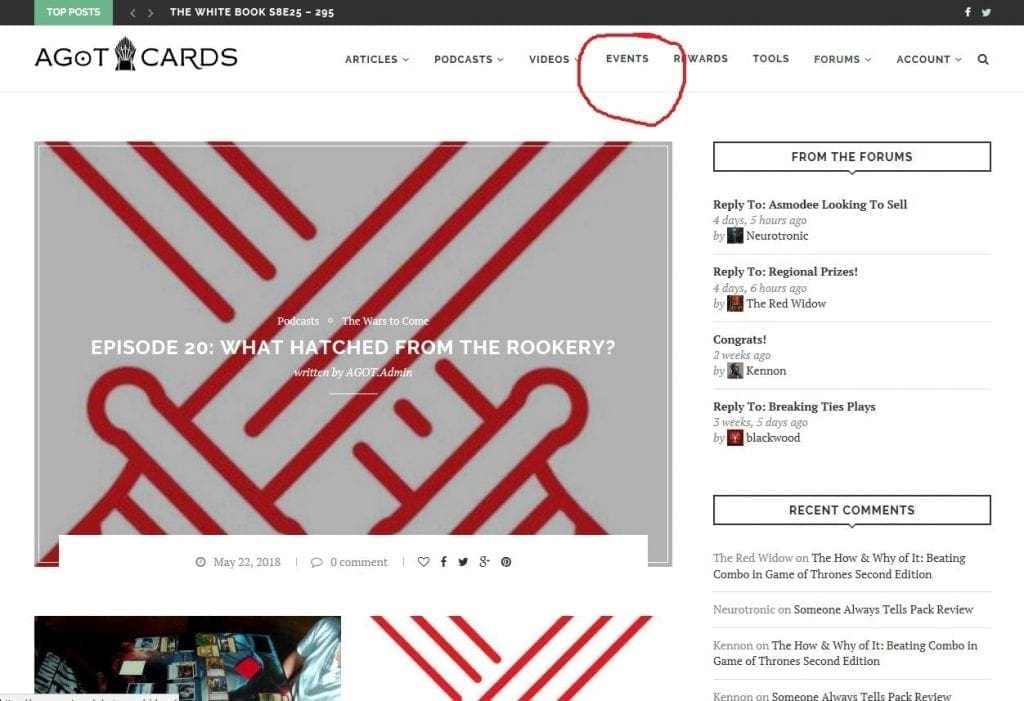
First up, the EVENT calendar itself can be found in the center of the menu bar. This links to www.agot.cards/events, which is hopefully easy to locate and remember. You’ll note it circled in red on the screenshot.
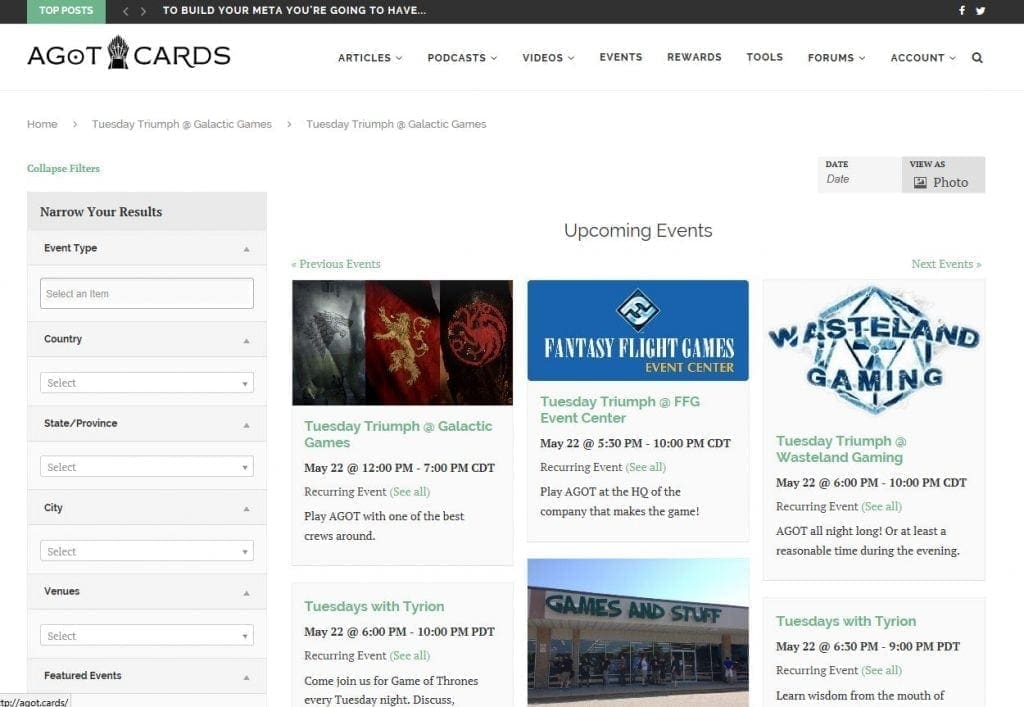 Next, you’ll default to seeing a nice vice of upcoming events in the eye catching photo view. Filters to help you find exactly what you’re looking for are located on the left.
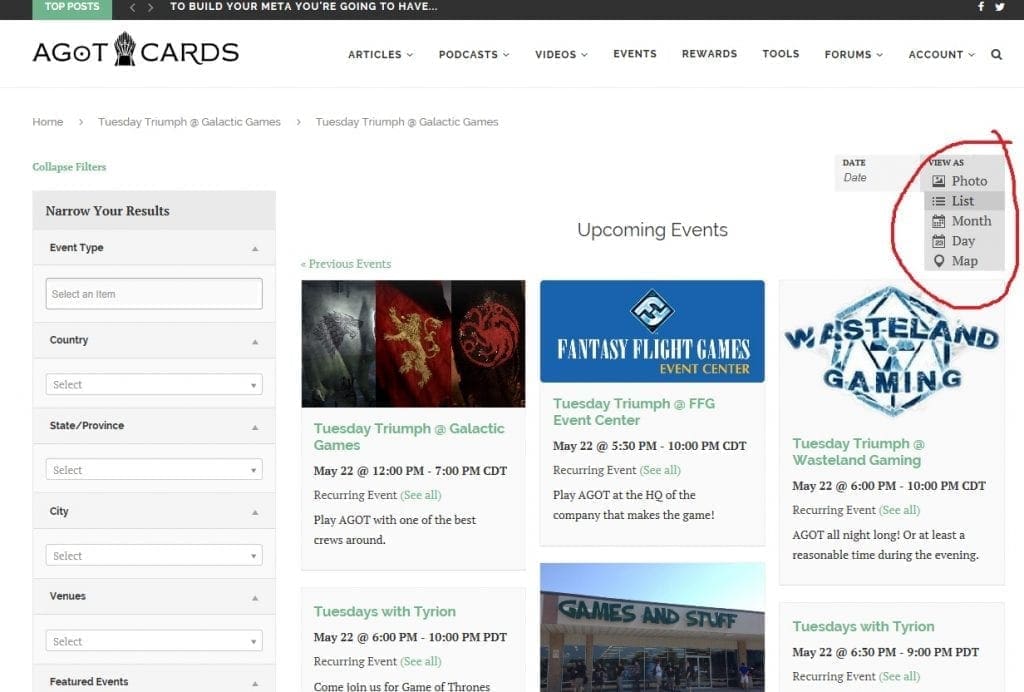 If you would rather see a different view, you can locate the VIEW AS menu on the right hand side, circled in red in the screenshot. This gives you several other options including the List view.
Here’s a sample of what the List view looks like.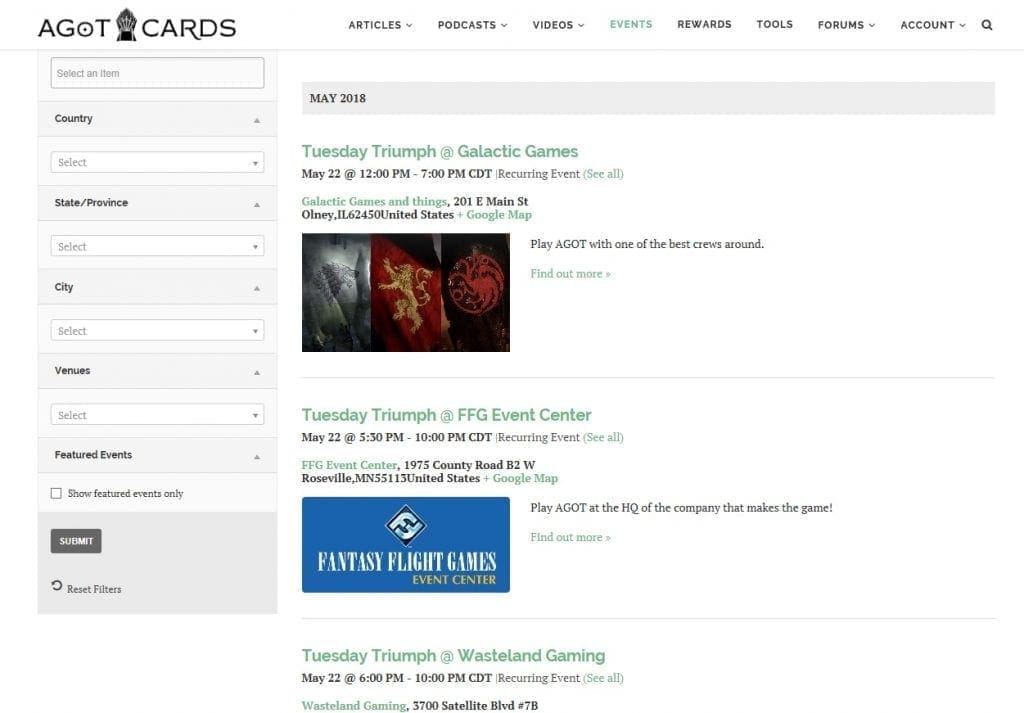
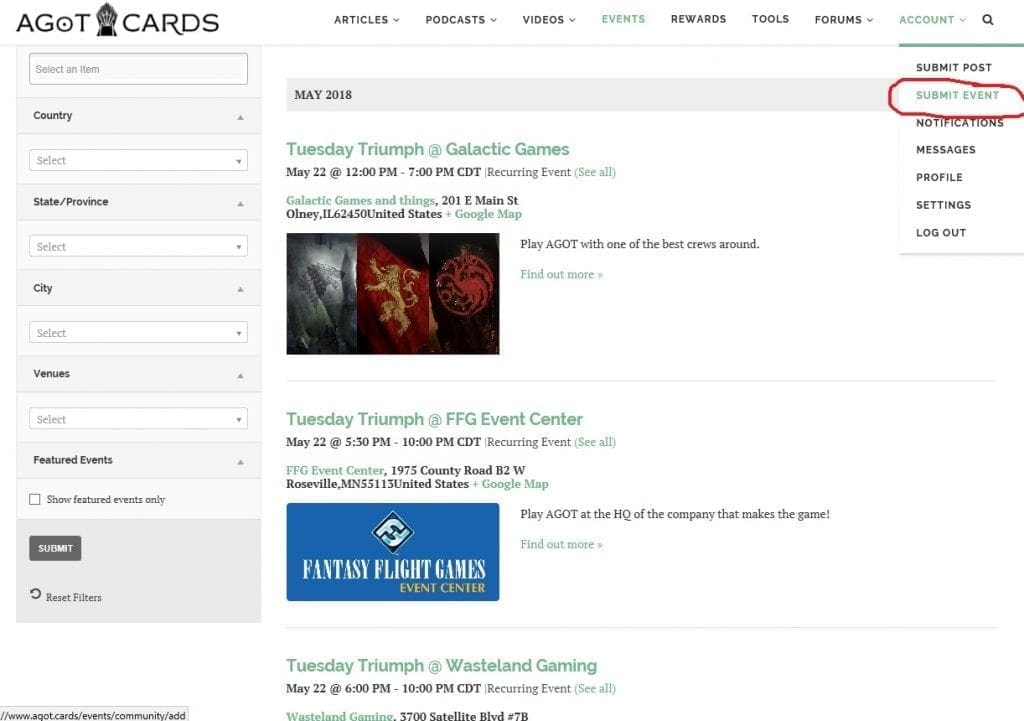 Next up are submissions, which you’ll find on the right hand side under the account menu. Note, this menu also has the submission form to post articles, videos, etc of your own. You’ll note the EVENT SUBMISSION link in the red circle in this screenshot.
After clicking th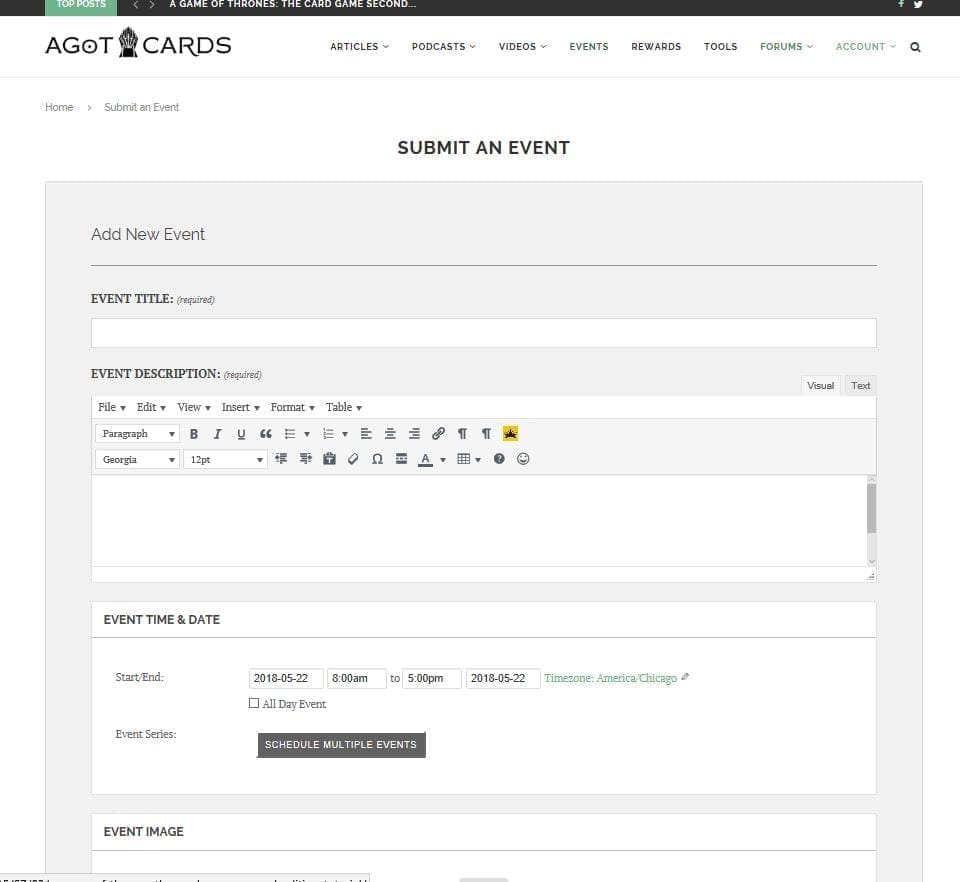 at link, you’ll land at the Event Submission page. Most of these blanks are pretty self explanatory such as the Title or Name of the event and a description field to tell people what’s going on.
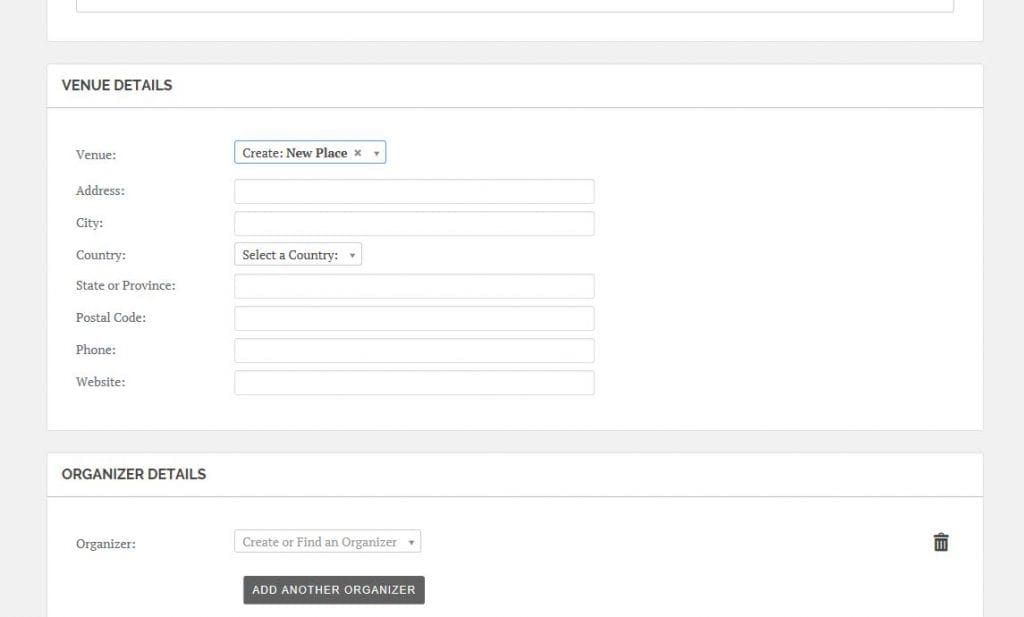 There are a couple of other things to note on this form, however. In fields such as Venue or Organizer, you only have to type in all of the sub information (address, etc) once! The first time you enter a name that isn’t recognized into the field and hit enter, you’ll get this form so that you can enter that information.
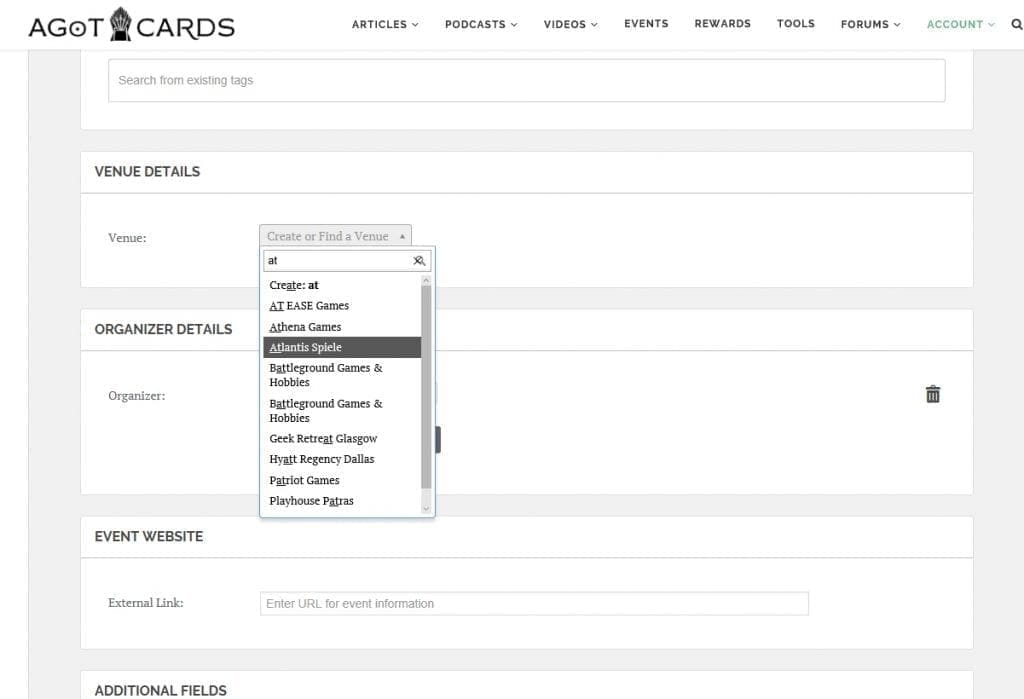 Every subsequent time that you need that particular one, though, you’ll just be able to enter it’s name in the box, select it, and keep going. The system will fill in the relevant information for people to peruse once the event is posted.
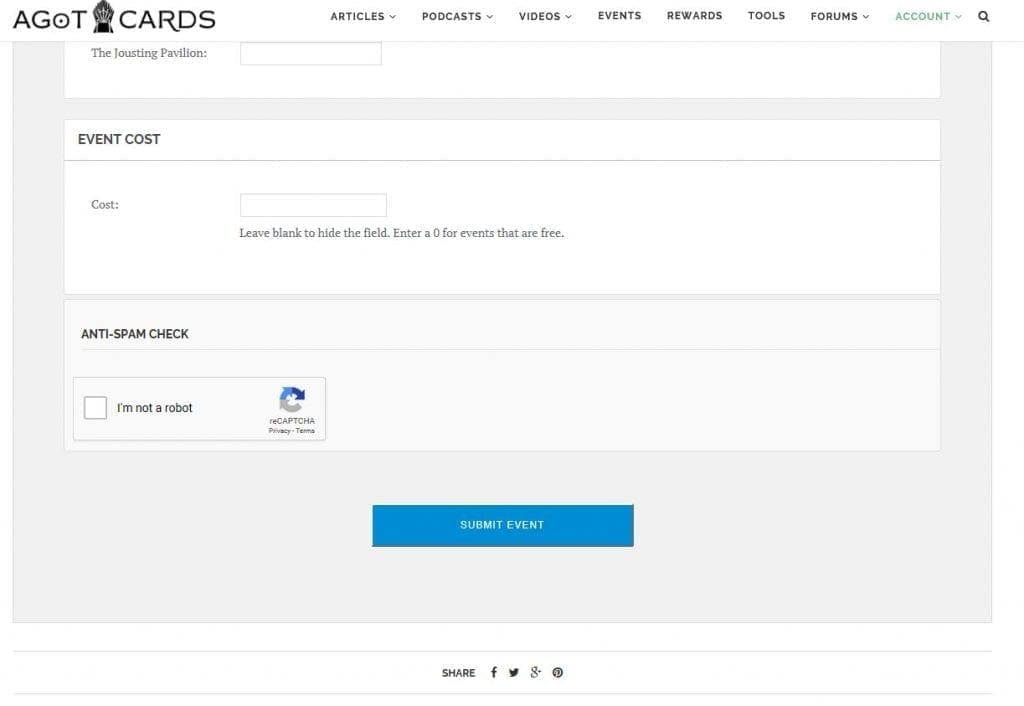 And last but not least, make sure you complete the CAPTCHA and click the blue button to submit the event. We’ve removed the requirement for a human to approve the event afterward, so your event will be live as soon as you hit it. Hopefully the CAPTCHA is enough to keep spam issues under control.

Upon recommendation, there is now a large SUBMIT EVENT HERE link at the top of the event calendar and pages.
Also, I did miss clarifying that you do NOT have to have an account and be logged in to submit an event. Sure, you earn gold and influence if you are, but if you just want to pop in to enter events, you sure can.
Should the Facebook event link be put in the website blank?
Yes indeedy!